Internal forces
The Internal forces design result shows the internal forces and moments used for concealed bar and masonry wall design checks.
Internal forces is available for:
- RC concealed bar
- Masonry wall
Result selection
To display Internal forces results, first select the basis for the result:
- Load combinations – then select the specific load combination
- Load groups – then select the group type and the force or moment component to maximize – the governing combination for that component is generated automatically
In addition, select the force or moment component itself:
- for RC concealed bar, the component N, Ty', Tz', Mt,SV, My' or Mz'
- for Masonry wall, the component N, V, M - Analysis, M - Slab eccentricity or M - Total
info
When the basis is Load groups, the component selected here is the same one being maximized to generate the governing load combination.
Only the selections relevant to the chosen design result are shown.
Result display
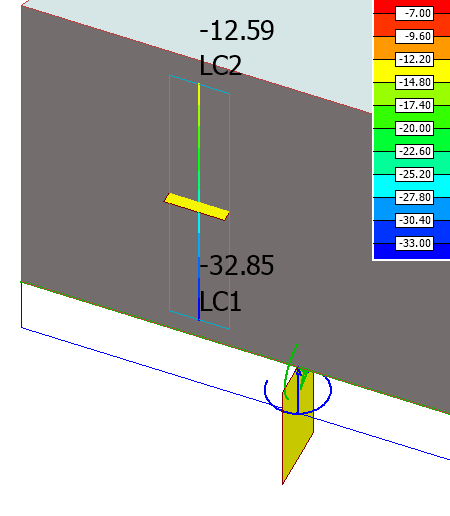
Internal forces use the Graph and Colour palette display types, for both RC concealed bar and Masonry wall.
Graph
Internal forces displayed as a graph.

Colour palette
Internal forces displayed as a colour palette.