Grid management
Grid management
Autogrid
FEM-Design already provides several automation tools for parameterising structures.
With FEM-Design 25, a new autogrid capability automatically detects repetitive structural patterns and generates parameterised grid systems with associated dimensions and spacing parameters.
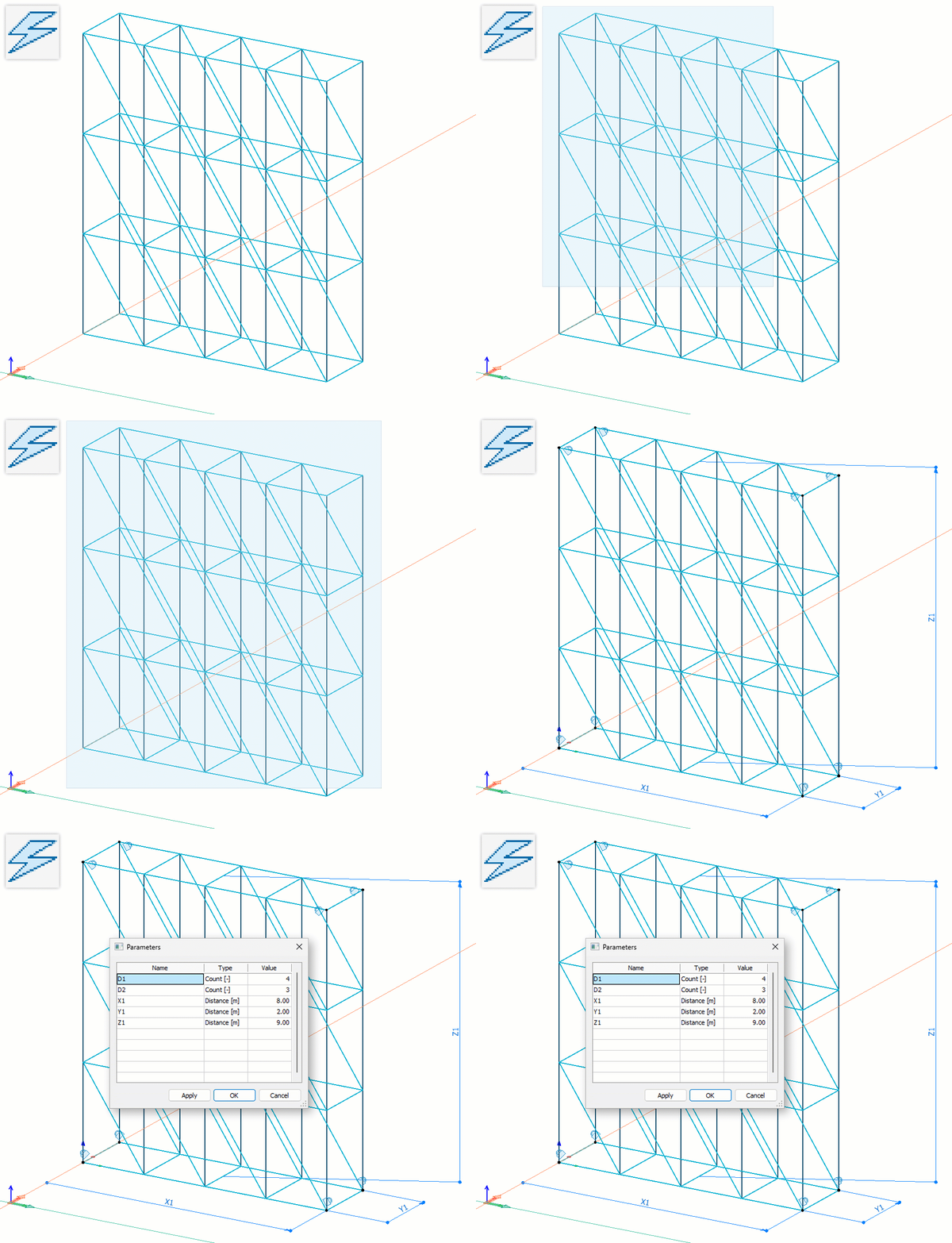
After defining some guiding options, the Automatic parametrization function searches for repeating patterns in orthogonal structural systems, either in the entire model or in selected model parts.
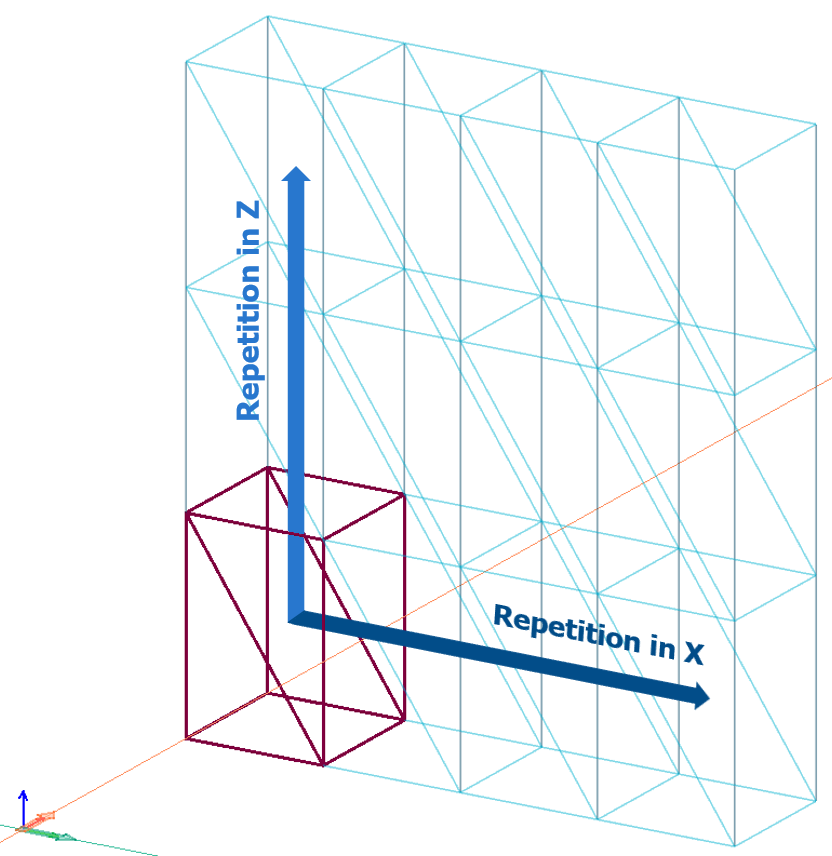
- based on the detected patterns, Grid objects are created with associated primary dimensions, for example X1, Y1 and Z1, and spacing parameters, for example D1 and D2
- these parameters can be adjusted to define the initial template dimensions and are later offered for finalisation by the Input Wizard when applying the template in 3D Structure projects
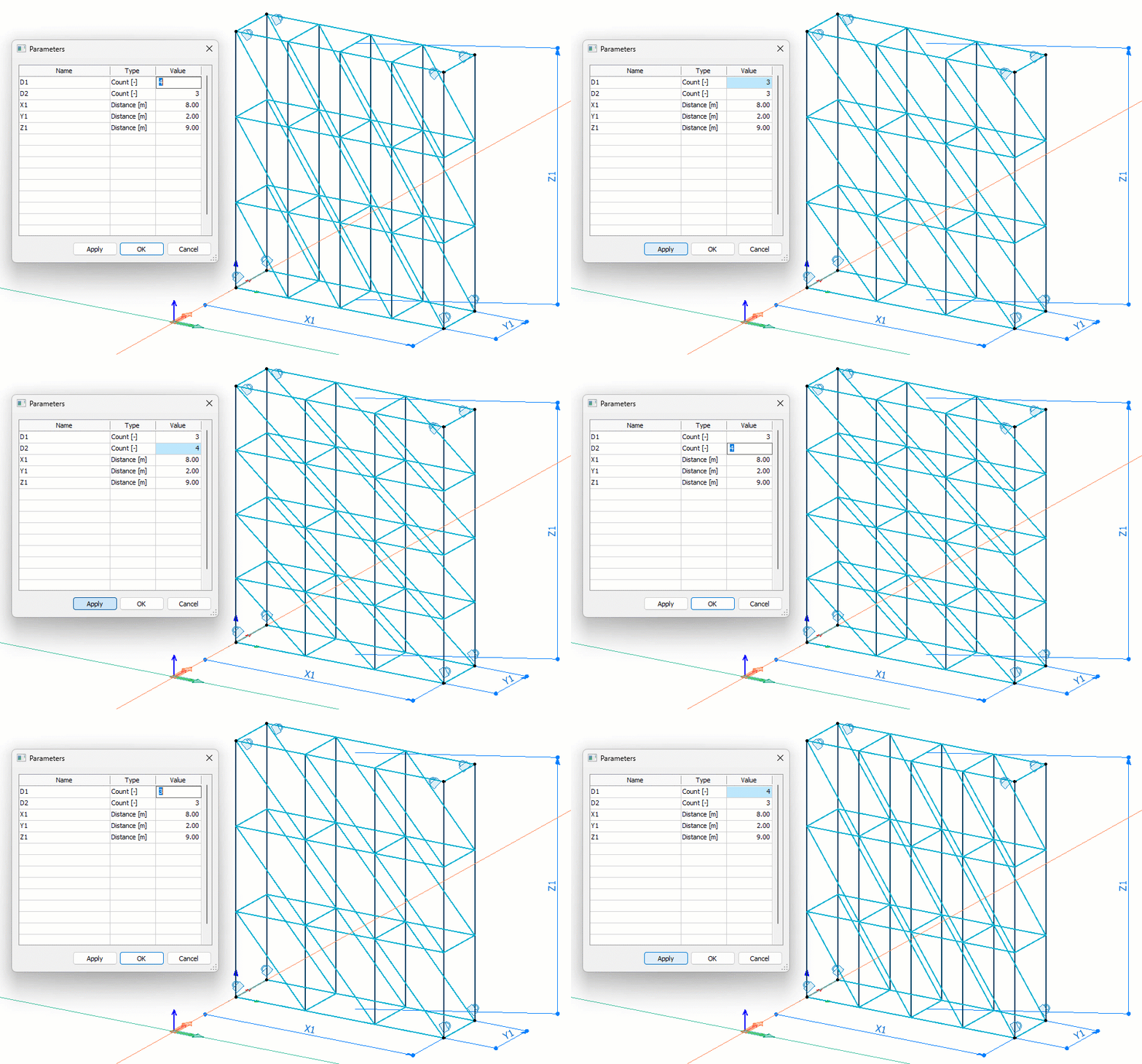
Automatic grid generation is a key component of the Automatic parametrization workflow, but it is also available as a standalone Grid creation command.
The global directions in which repetition and spacing are detected can be controlled by selecting the allowed direction components.
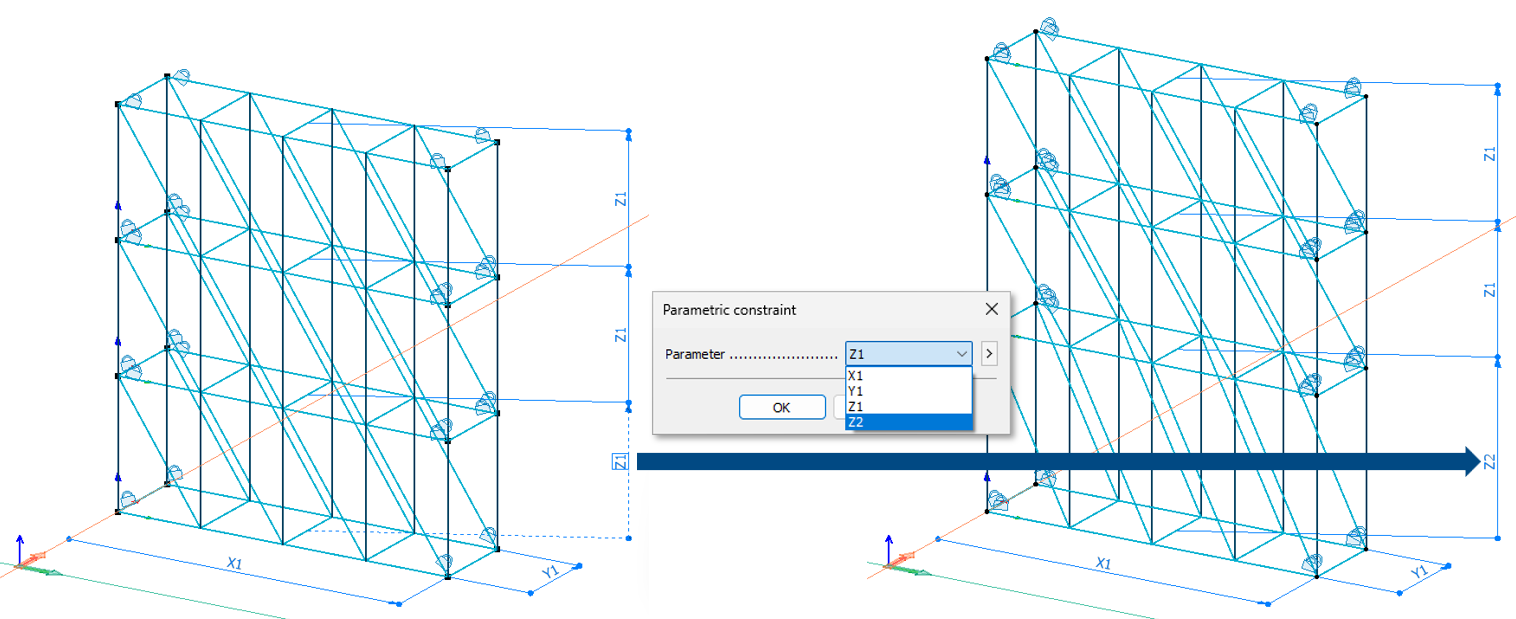
In the example below, the left image shows a single Grid detected in the enabled global X and Z directions, while the right image shows detection only in the X direction, resulting in multiple Grids sharing the same X spacing but allowing independent handling in the Z direction, for example by storeys.
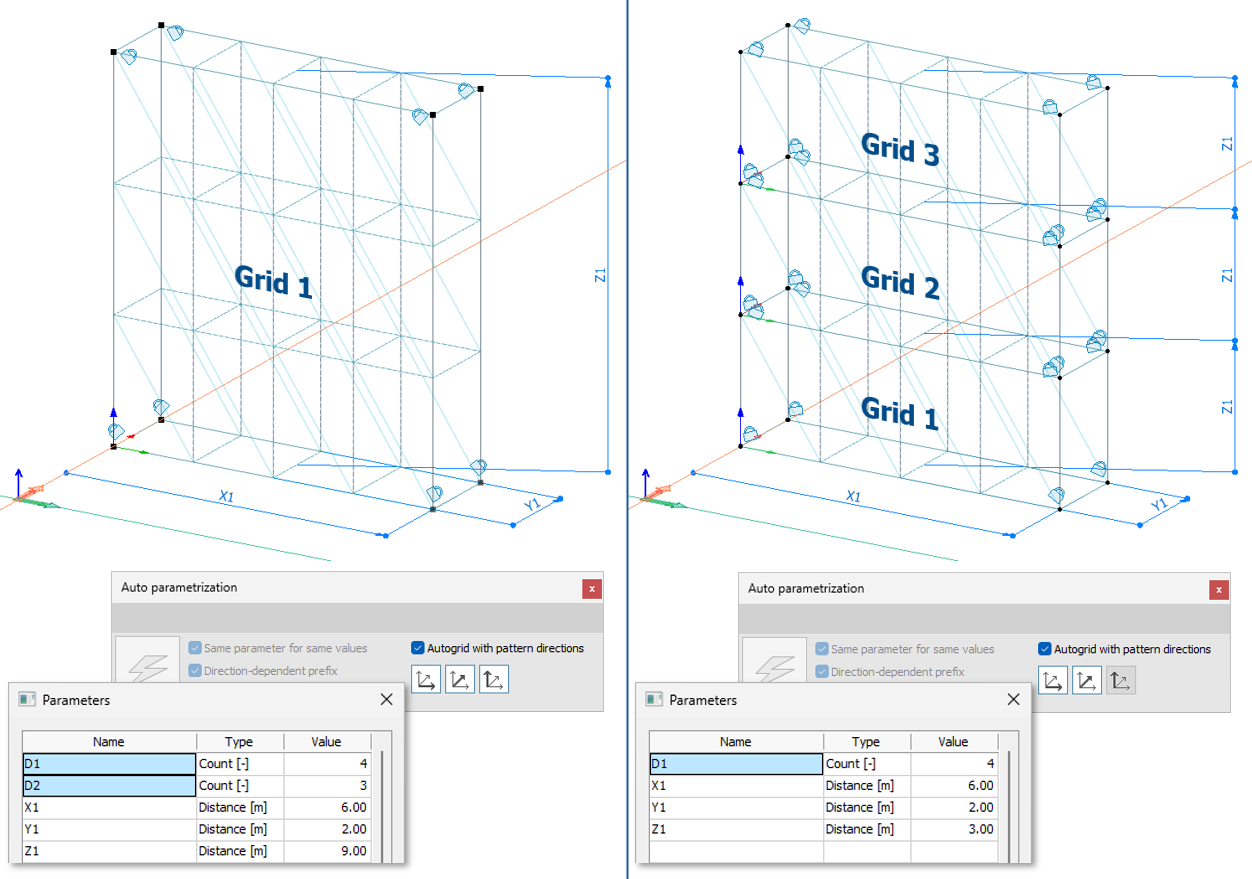
To allow different vertical dimensions, for example different column or storey heights, Grids with identical X spacing can be re-parameterised in the Z direction by introducing an additional distance constraint, for example Z2.
Grid management tools
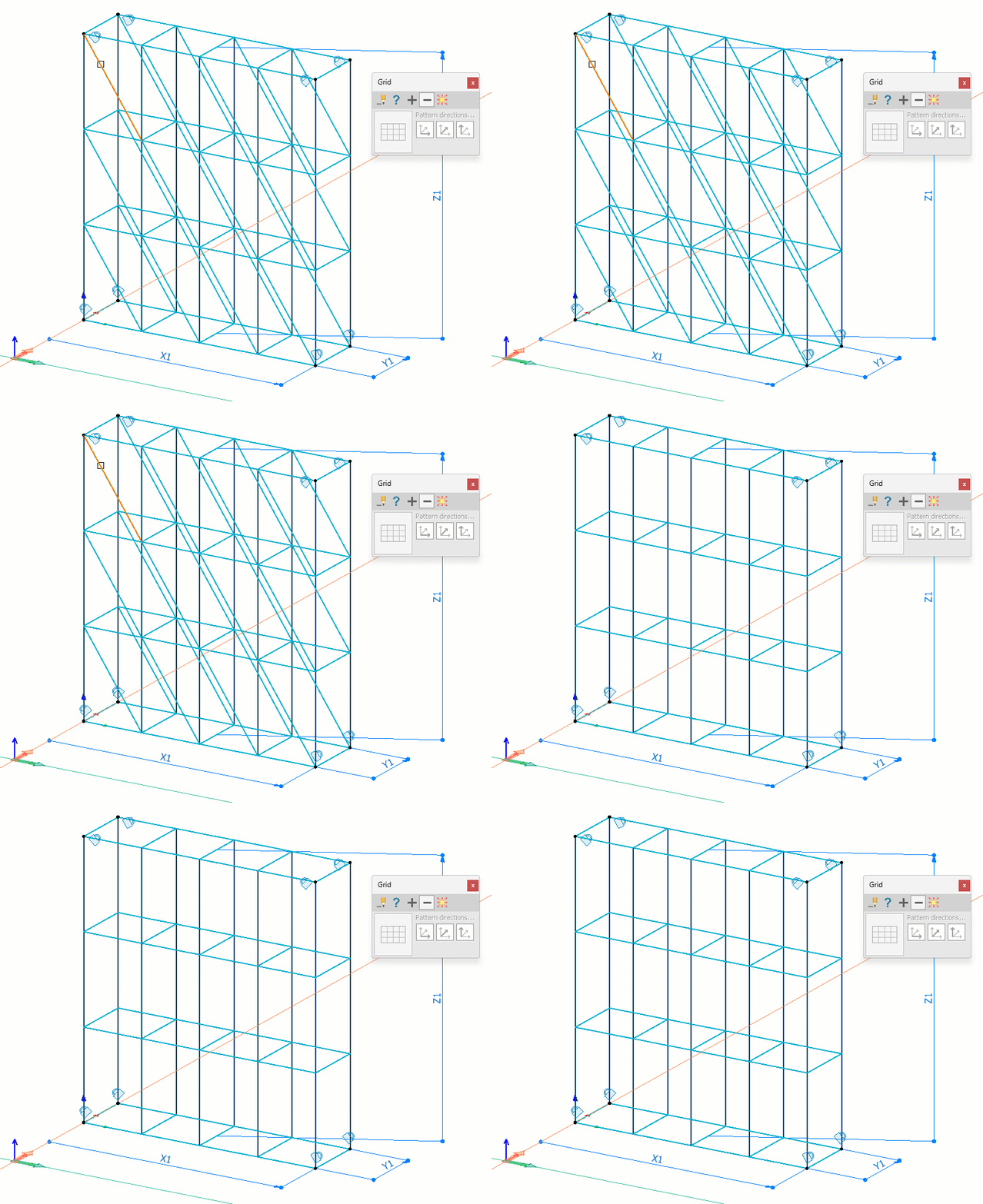
Automatically generated Grids can be further edited using new management tools.
The new Remove function allows a selected structural element to be removed from a single repetitive grid pattern instance.
With the Assign function, objects newly placed within a single pattern instance can be added to the Grid definition. FEM-Design automatically distributes them across all repetitions based on their relative position.
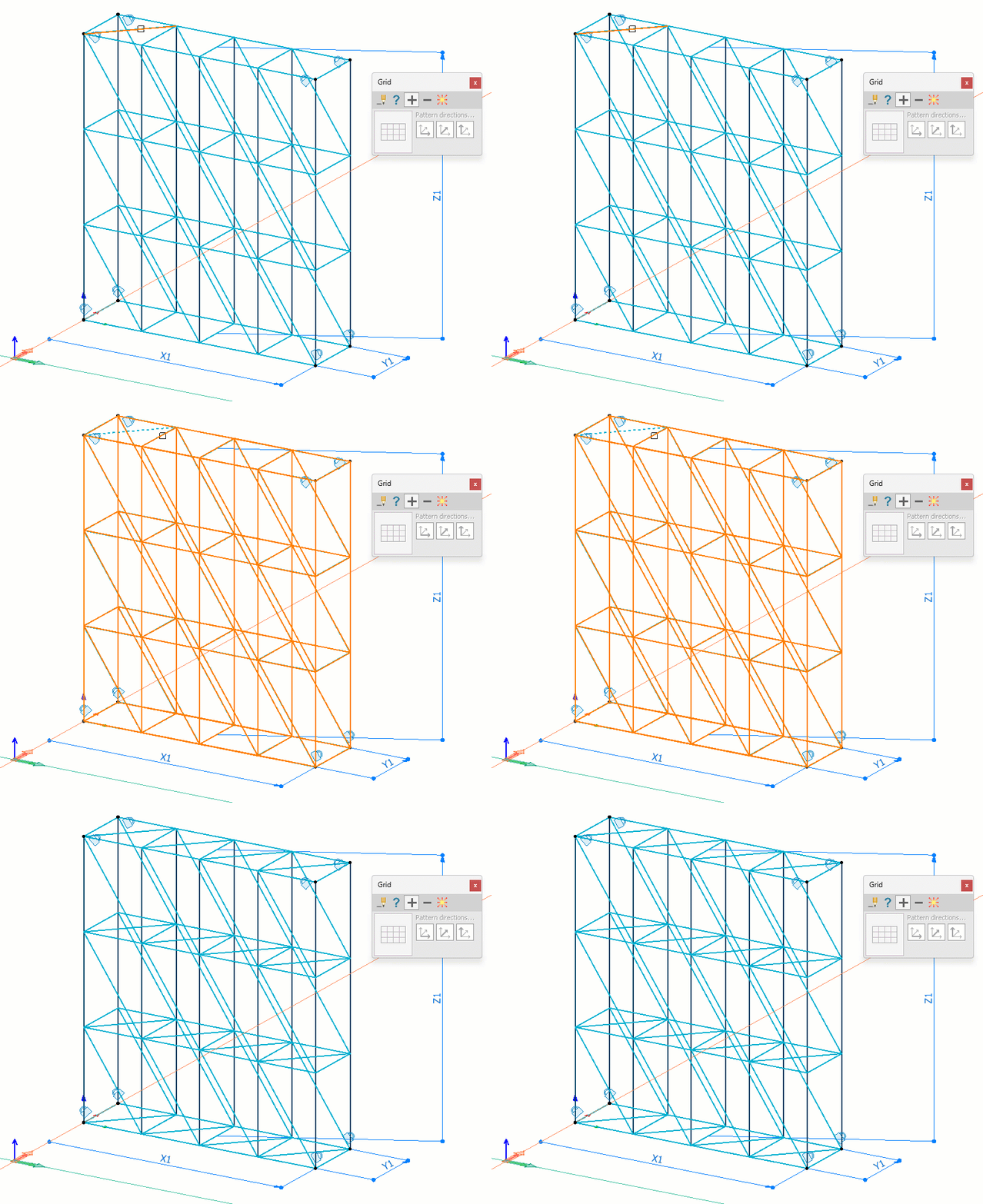
The new Explode function detaches the structural model from the Grid definition. An additional erase option allows the Grid definition to be permanently deleted if required, while keeping the structural model unchanged.
This is useful when multiple modifications are needed before reassigning the model to a new Grid, or when the Grid is no longer needed.