Bar Stiffness
The Bar - Stiffness dialogue lets you scale individual components of a bar’s stiffness for different analysis types.
Following tools provide this dialogue:
- Beam
- Column
- Truss member
- Wall foundation
When you open the Stiffness tab, the following window appears.
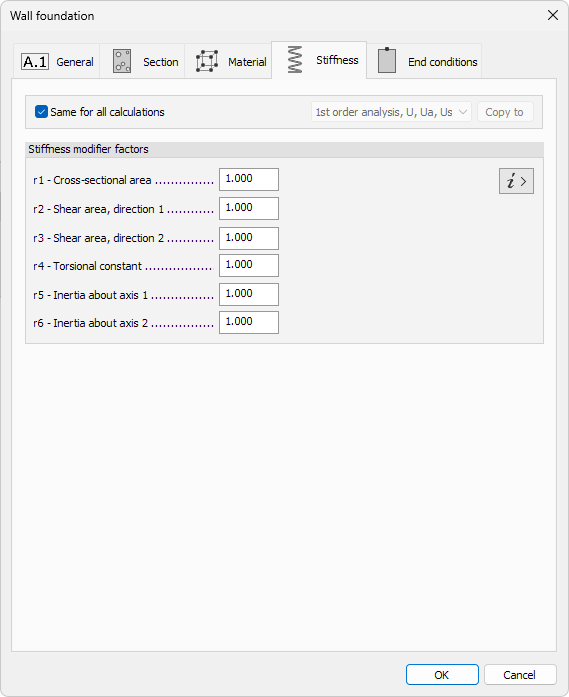
Calculations
- Same for all calculations – when ticked, the modifier set is applied to every analysis type
- Calculation type – drop-down list that becomes available when the box is unticked, letting you define unique factors per analysis
- Copy to – copies the settings from the current calculation type to one or more other calculation types
Stiffness modifier factors
Enter reduction (or amplification) factors for each component of the bar stiffness matrix. A value of 1.0 leaves the component unchanged.
| Factor | Component |
|---|---|
| r1 | Cross-sectional area |
| r2 | Shear area, direction 1 |
| r3 | Shear area, direction 2 |
| r4 | Torsional constant |
| r5 | Inertia about axis 1 |
| r6 | Inertia about axis 2 |
Stiffness matrix info
Click the i › button to open an information window that shows the full stiffness matrices and highlights where each r factor is applied.