Bar General
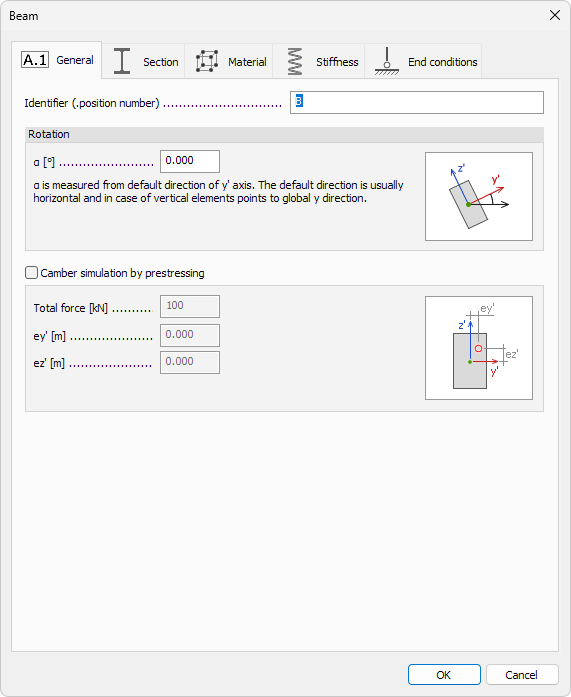
The Bar - General dialogue stores basic labelling and rotation data for line elements and can also simulate camber by applying an equivalent prestressing force.
Following tools provide this dialogue (full or reduced):
- Beam
- Column
- Pile
When you open the General tab, the following (or similar) window appears.
Identifier
- Identifier – label shown in schedules, lists, and tooltips
Rotation
- α – rotation angle (°) that realigns the bar’s local axes about its longitudinal axis
Camber simulation by prestressing
- Camber simulation by prestressing – tick to enable camber modelling through an equivalent axial force
When the checkbox is selected, three additional fields appear:
- Total force – magnitude of the prestressing force applied along the bar axis (kN)
- ey′ – offset of the prestressing force in local y′
- ez′ – offset of the prestressing force in local z′
tip
Entering zero for ey′ and ez′ applies the force through the centroid. Non-zero offsets create the camber moment.