Sliding
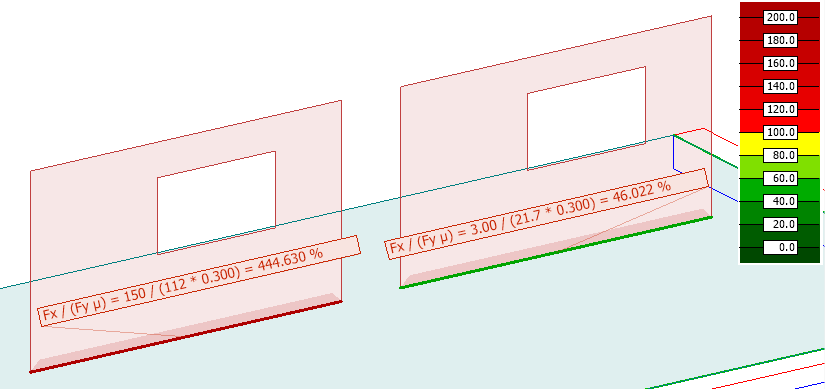
The Sliding analysis result evaluates the local sliding of the edge connection of shell elements under the current loading conditions. It is part of the Local stability result sub-group and is used to assess whether a shell is at risk of sliding due to force overcoming the friction.
Sliding is available only for:
- Load combinations – sliding evaluation for individual load combinations
- Maximum of load combinations – envelope of sliding results from multiple combinations
Calculation prerequisites
To calculate Sliding, the following conditions must be fulfilled:
- an Edge connection must be defined for the edge
The result is the ratio of the design force and the friction capacity. The friction factor can be set in the Edge connection dialog.
Result selection
To display Sliding, you must select:
- load combination
- load combination type, such as ultimate or quasi-permanent
Only the selections relevant to this result type are shown.
Result display
Sliding uses a specialised result display that is fixed for this result type.
The result is shown as a special colour palette, where colours represent the calculated friction utilization percentage along the shell edge.